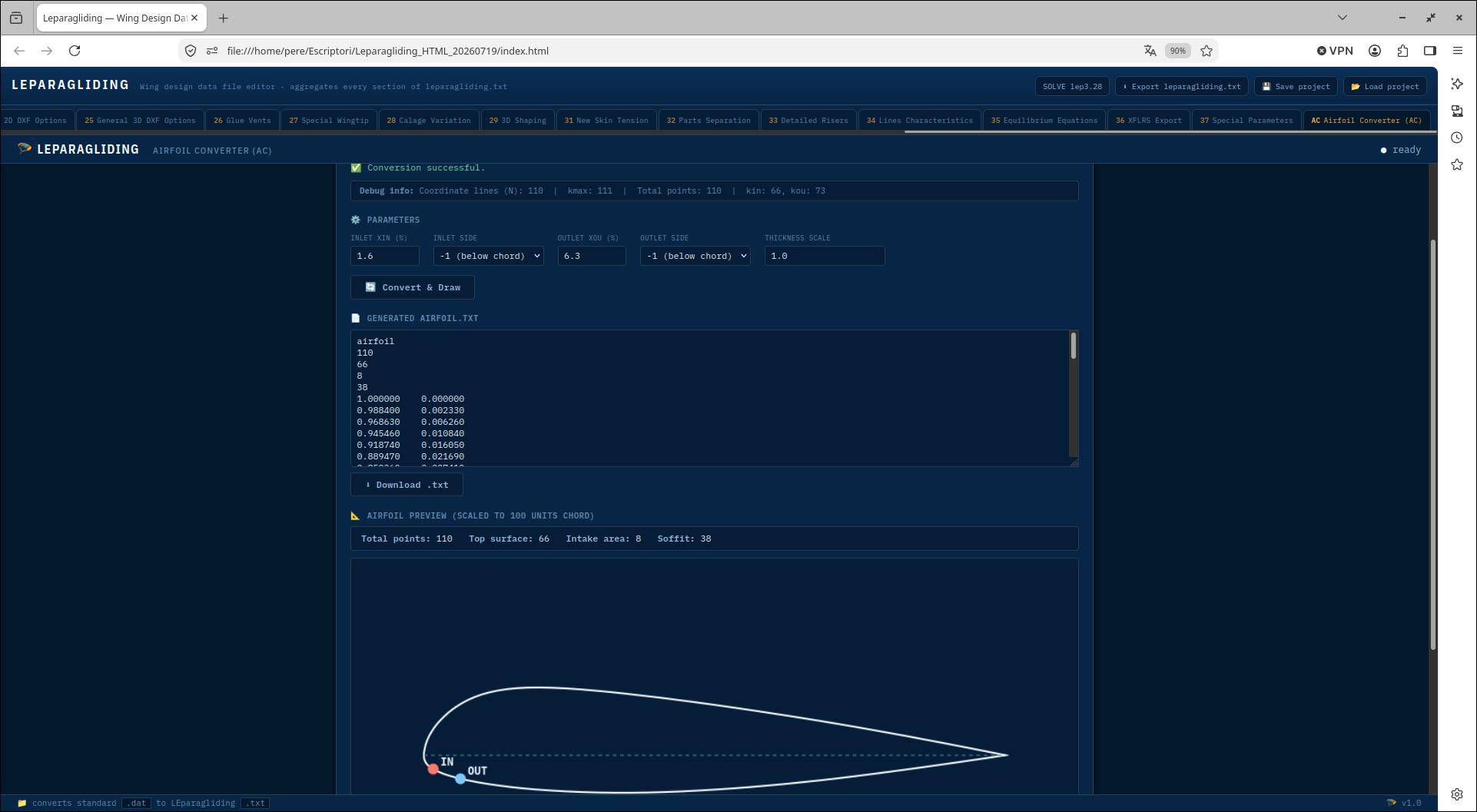
And yet another new project to achieve a graphical interface for the LEparagliding
paragliding design software. It must be emphasized that LEparagliding
does not need a graphical interface, and it is even much simpler and
faster to work directly by writing the necessary parameters in the text
file.
However, there are two main problems:
1) The level of abstraction required to understand the data file is quite high
2) The program manual requires better explanations and graphics to clarify the issues covered.
There is a third problem that makes it difficult to use LEparagliding
and that is that the final results are DXF files and it is necessary
for the user to know some advanced CAD program to view, modify and
process the results. This is a problem but also a great advantage in
the sense that modifications can be made to the project directly in the
drawing.
Now we will focus on problem 1. There is an opportunity to instruct our
favorite artificial intelligence model to read the manual section by
section, and some additional tips, to make an html applications that
help us to enter the data.
This
is the Laboratori official GUI project for LEP, developed mainly by
Paweł Lipsky and Pere Casellas. If anyone with AI programming knowledge
is interested in contributing, write to pere@laboratoridenvol.com
2. STRATEGY
The idea will be to make a very simple base html application, which
will simply contain buttons that will link to other html applications
each dedicated to entering data from the sections of the LEparagliding
data file (currently sections 1 to 37).
With this we manage to simplify the global html application to 37
subapplications (and some more for coordination or utilities), which
can be programmed almost independently.
The project still remains large and complex. This is where we can use collective intelligence and artificial intelligence, and of course natural intelligence...
We will call the main application index.html
and the section applications available currently:
03 Anchor Points.html
05 Skin Tension.html
06 Sewing Allowance.html
07 Sewing Marcage.html
08 Global Angle of Attack Estimation.html
09 Description of Lines.html
10 Brakes.html
11 Ramifications Length.html
12 H V and VH Ribs.html
15 Extrados Colors.html
16 Intrados Colors.html
17 Additional Rib Points.html
19 DXF Layer Names.html
20 Marks Types.html
21 Joncs Definition.html
22 Nose Mylars Definition.html
23 Tab Reinforcements.html
24 General 2D DXF Options.html
25 General 3D DXF Options.html
26 Glue Vents.html
27 Special Wingtip.html
28 Calage Variation.html
29 3D Shaping.html
31 New Skin Tension.html
32 Parts Separation.html
33 Detailed Risers.html
34 Lines Characteristics Table.html
35 Solve Equilibrium Equations.html
36 XFLR5 Export.html
37 Special Parameters.html
ac.html
airfoils.html
index.html
preprocessing.html
rib-holes.html
s18.html
Each of the section applications should have common characteristics such as:
- Similar styles, this can probably be done at any time during
development, cloning the styles of the application that is established
as a reference.
- Ability to present complete data by default
- Ability to read the corresponding section of the leparagliding.txt file
- Ability to export the data to a partial text file in the leparagliding.txt format (export only the object section of the app)
- Auxiliary graphical representations for help
- Auxiliary interactive graphics
- Copy, extract or an improved explanation of the manual
Once we have some of the sub-applications working properly, translating
the interface to any other (country) language will be a trivial task with AI.
This is an advantage to consider. We
can also consider the option of translating the html and js code to
other compiled languages such as C++. However, the speed of the
interface is not a critical point, since the calculation engine
continues to be the compiled Fortran program.
All generated code be under the GNU General Public License 3.0.
3. LEP-HTML CURRENT VERSION
Current version: 2026-07-19
Main developpers: Paweł Lipsky and Pere Casellas
This version has reached a great level of detail. And many sections are fully functional. However, it is not suitable for general use. There is a lot of work to be done. That's why we won't publish the available version yet...
5. SOME SCREENSHOTS
Click on each image to view full size.
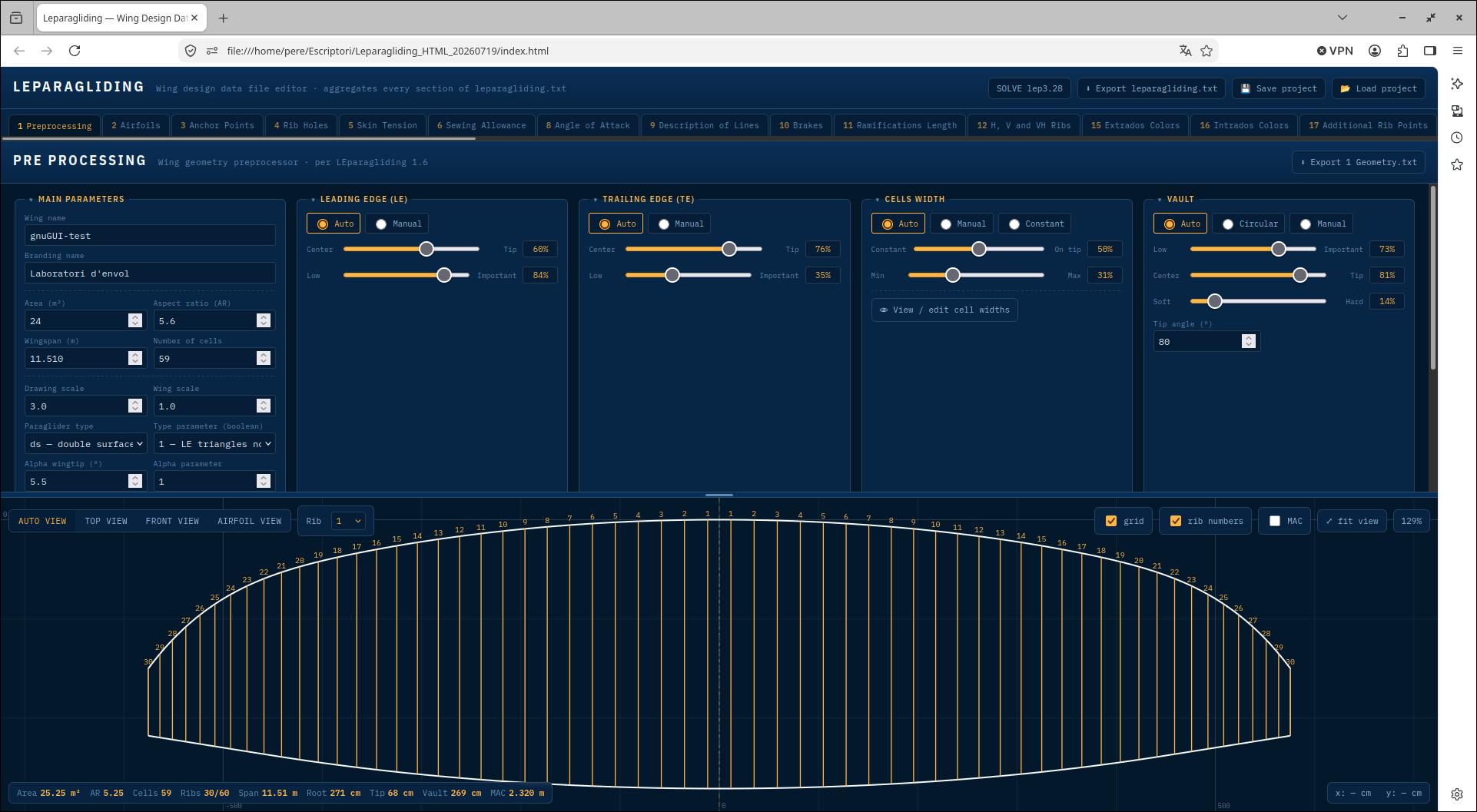
01 Pre-processing
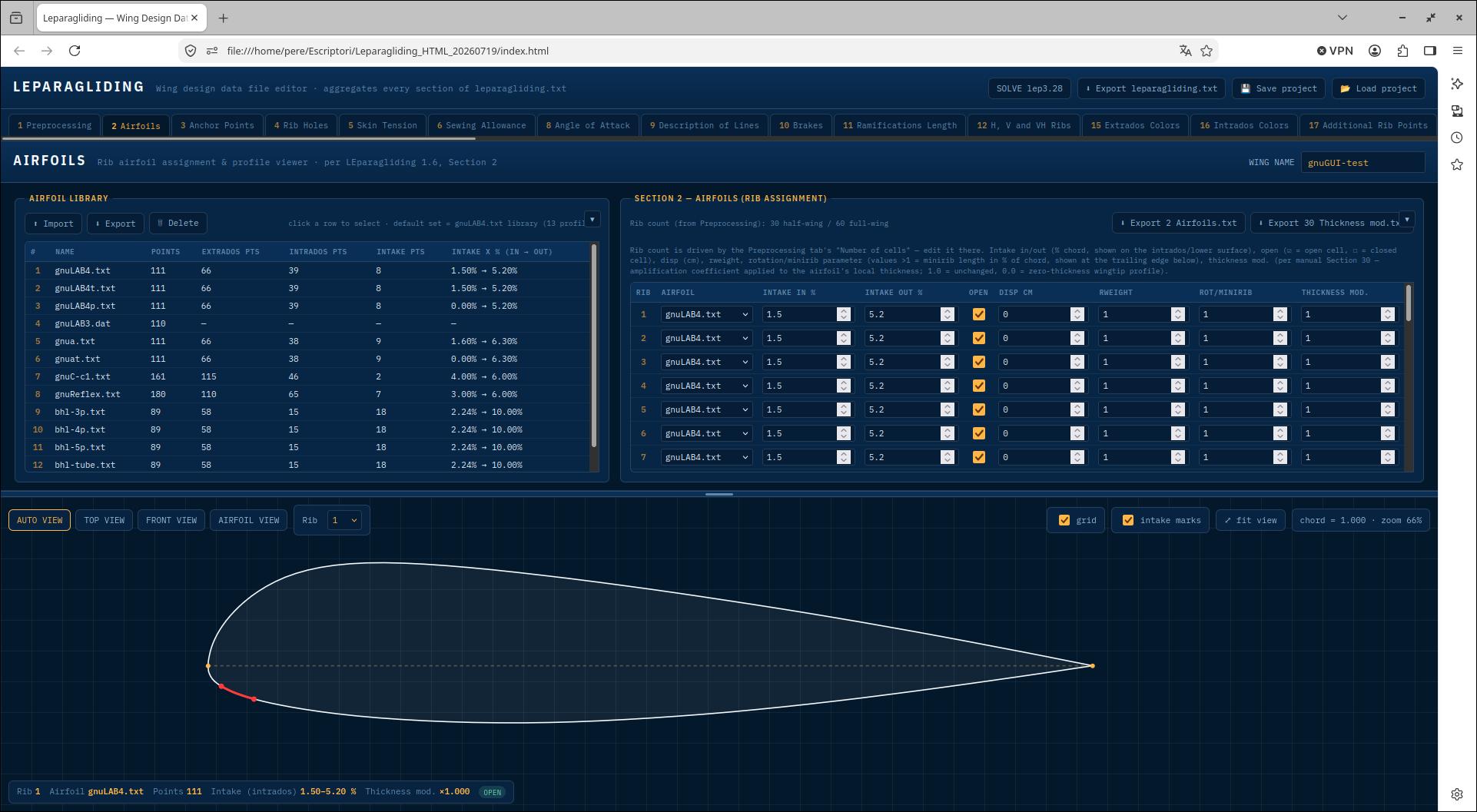
02 Airfoils
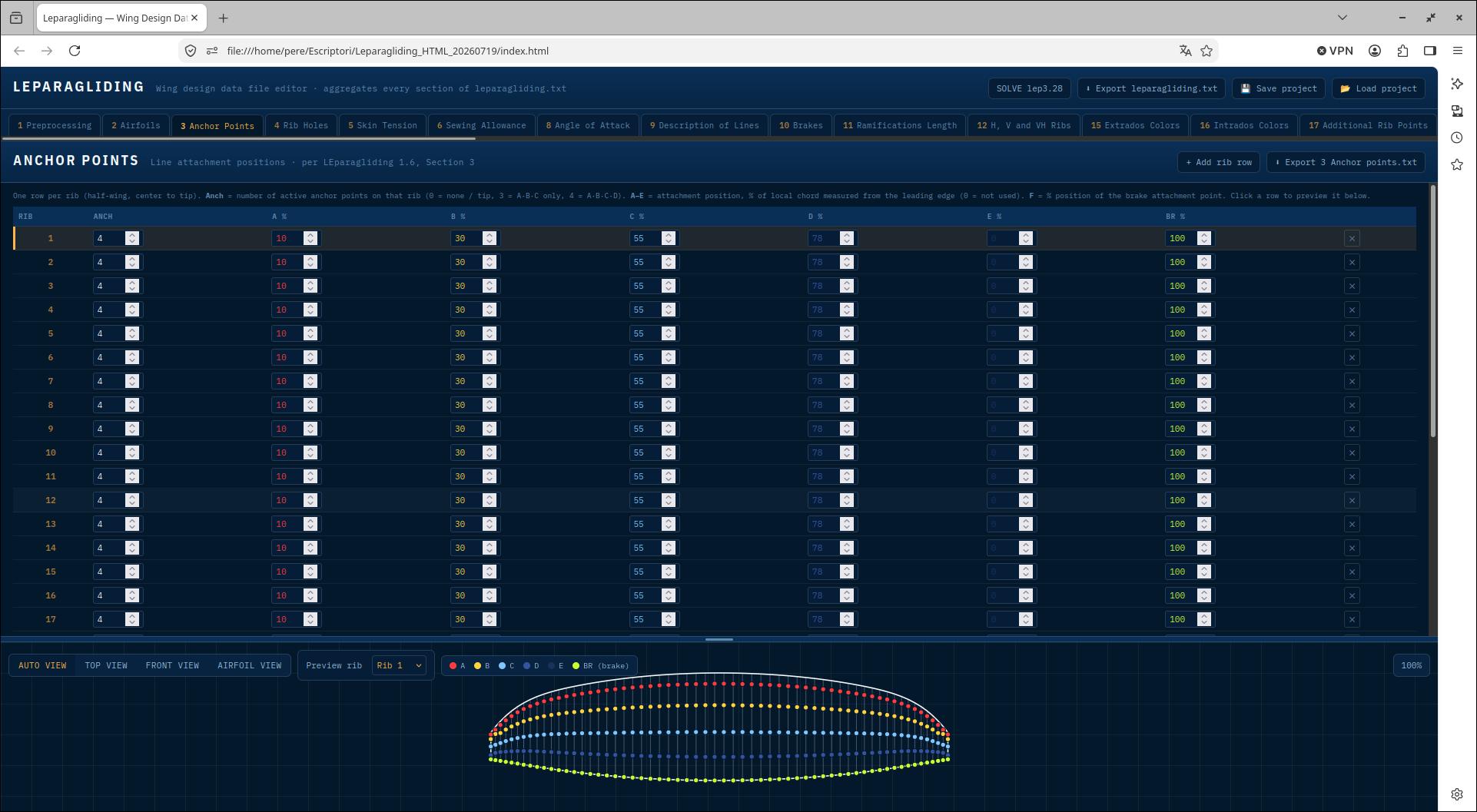
03 Anchor points
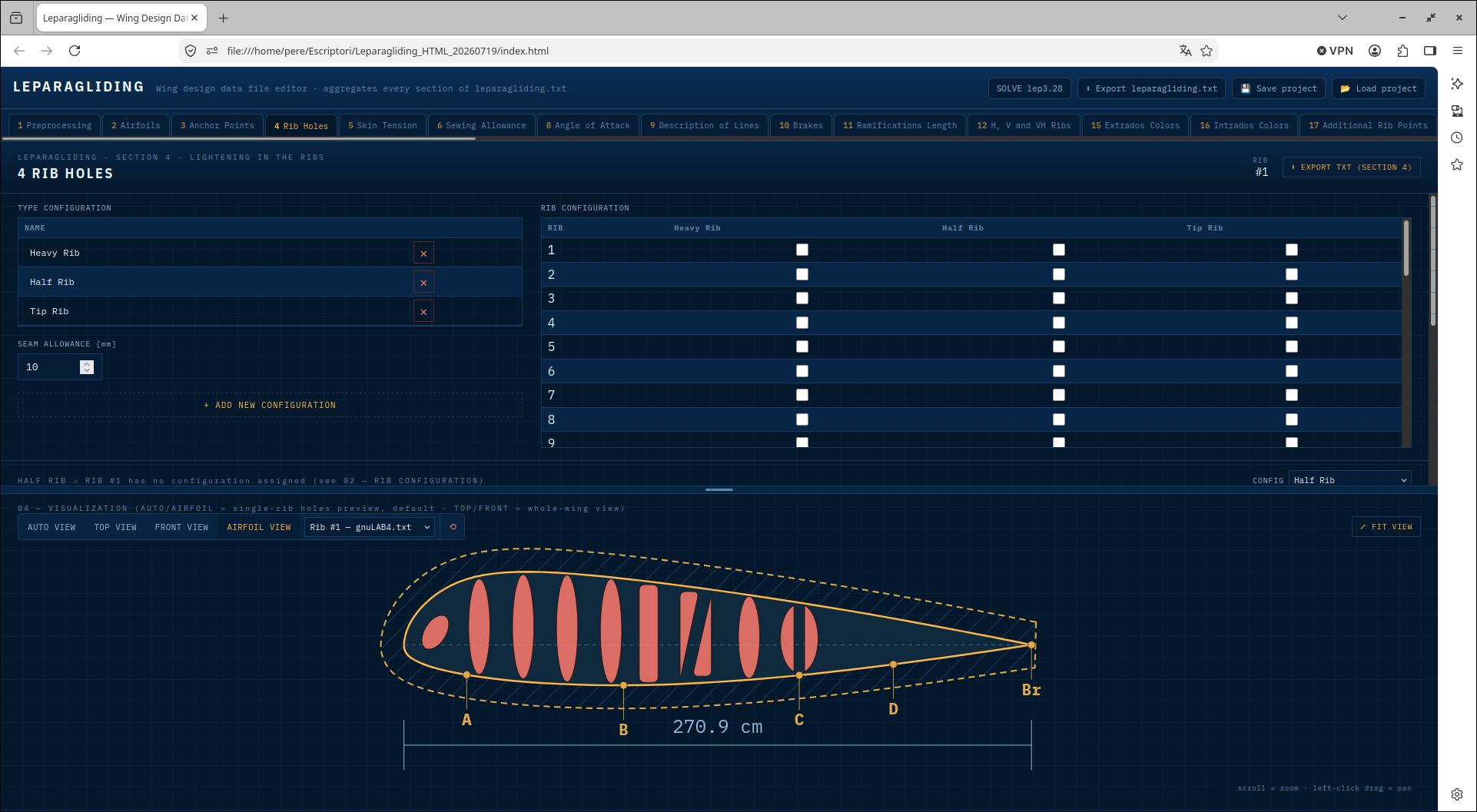
04 Rib holes
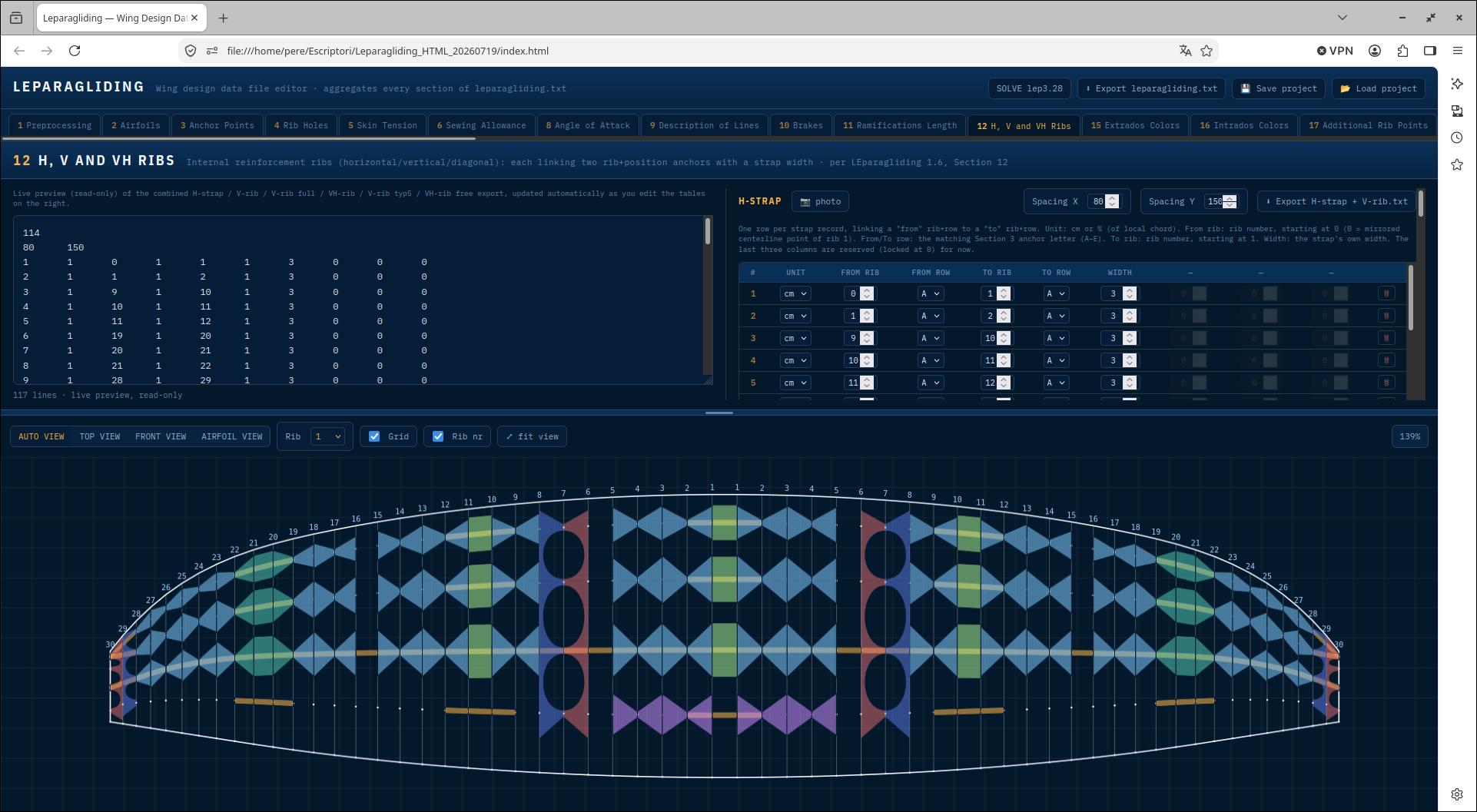
05 HV ribs
06 Airfoil converter